
Have you ever walked into an office and immediately felt energized, focused, and ready to work? Alternatively, have you ever stepped into a workspace that felt cramped, dull, or chaotic? Most of us have experienced both. The difference isn’t accidental; it’s the result of thoughtful office design and layout.
In today’s business environment, where employee well-being and productivity directly impact success, the way you design your workspace is no longer just about aesthetics. It’s about creating an environment where people can do their best work. Whether you’re a business owner planning a new office, a manager looking to improve team morale, or an employee who wants to advocate for a better workspace, understanding the principles of effective office design is essential.
This guide walks you through everything you need to know, from space requirements and furniture choices to color psychology and layout strategies. No fluff, just practical, experience-based advice.
How Much Space Do Employees Actually Need?
One of the most common questions people ask is, “How many square feet per employee is enough?” It’s a fair concern. Cramped or cluttered workspaces lead to frustration, lower productivity, and even conflict among team members.
Based on industry standards and real-world workplace studies, a good rule of thumb is at least 100 square feet per employee. This allows room for a desk, chair, movement, and basic storage without feeling boxed in.
But here’s what many overlook: space isn’t just about physical comfort. When employees feel they have room to breathe, they’re more likely to take short breaks, move around, and socialize with coworkers. That casual interaction often sparks ideas and strengthens team morale. On the flip side, if people feel cramped, they tend to stay glued to their desks, which can lead to burnout and isolation.
So, when planning your office fit-out design, prioritize generous, uncluttered areas. Open spaces don’t mean empty spaces; they mean thoughtful breathing room.
Choosing The Right Office Furniture: What Really Works
Walk into any office supply store, and you’ll be overwhelmed with options. But what actually makes a difference?
Desk and chair combinations are the foundation. A suitable desk should be large enough to hold a computer, documents, phone, and a coffee mug without feeling crowded. Adjustable standing desks are increasingly popular because they allow employees to switch positions throughout the day.
The chair is arguably even more important. A comfortable and supportive chair prevents back pain, fatigue, and long-term health issues. Look for adjustable height, lumbar support, and breathable material. Never skimp on chairs; your team’s physical health depends on them.
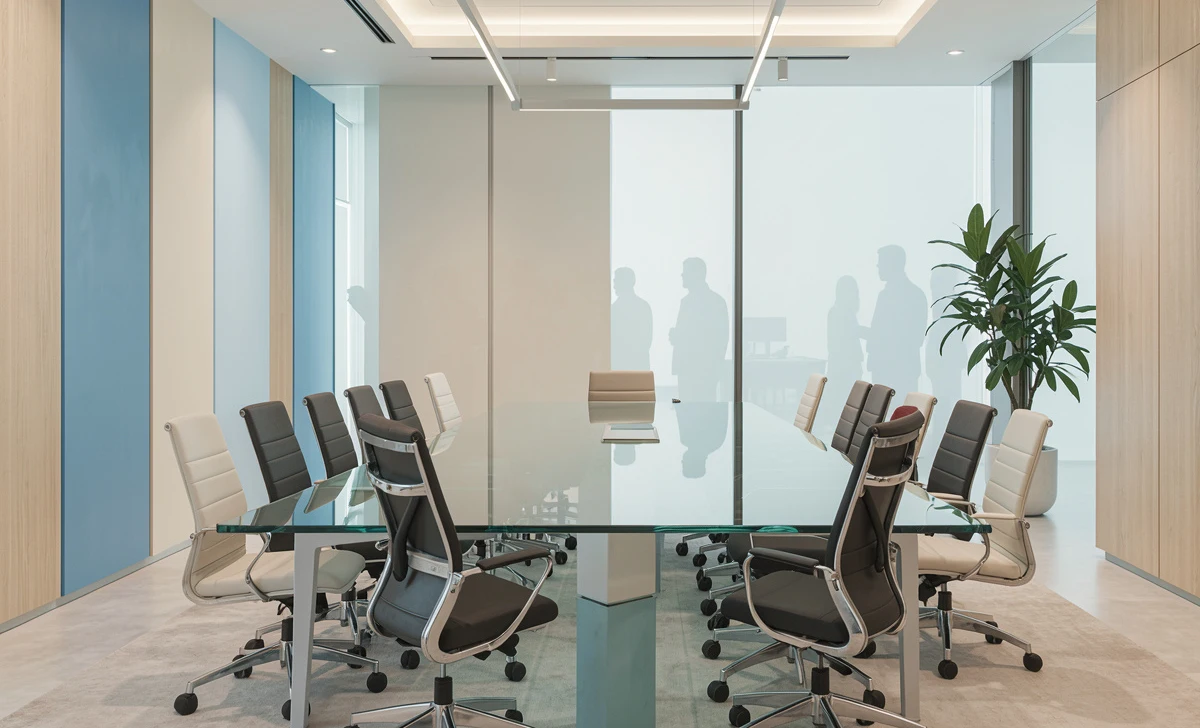
Beyond individual workstations, think about collaborative needs. Having a separate room for conference or training sessions with conference training tables and comfy chairs allows teams to meet without disturbing others. Privacy is a factor that many open-plan offices neglect, leading to complaints about noise and lack of focus.
Also, don’t forget about relaxation. A few comfortable chairs in a quiet corner give employees a place to decompress, take a call, or think through a problem away from their screen.
Storage Space: Short-Term vs. Long-Term Needs
Storage is often an afterthought, but it shouldn’t be. Poor storage leads to clutter, and clutter kills focus.
You don’t necessarily need to give every employee personal storage, but the office as a whole needs a good storage solution. This breaks down into two categories:
Short-term storage is for daily-use items like office supplies, active files, notebooks, and personal items. Open shelving, desktop organizers, and shared supply cabinets work well here.
Long-term storage is for things you don’t need every day, such as extra office furniture, equipment, archived documents, or seasonal supplies. A dedicated storage room or tall locking cabinets are ideal.
When employees constantly hunt for pens, paper, or files, they lose time and focus. A well-organized storage system, whether it’s a simple cabinet or a full bookshelf system, keeps the workspace clean and the workflow smooth.
How To Design The Perfect Office: A Step-by-Step Approach
Designing the perfect office isn’t about copying a trendy Pinterest board. It’s about understanding your team’s actual needs and work habits.
Step 1: Ask your employees. Before buying anything, send out a quick survey. What frustrates them about the current space? What would help them work better? You’ll often discover simple fixes you hadn’t considered.
Step 2: Prioritize natural light. The best type of office space is one with plenty of natural light. Sunlight boosts mood, regulates sleep cycles, and reduces eye strain. Position workstations near windows and use sheer blinds to control glare.
Step 3: Create zones. Different tasks need different environments. Open spaces for collaboration, quiet zones for deep work, and casual areas for breaks. This is called activity-based working, and it’s proven to increase satisfaction.
Step 4: Choose furniture that supports productivity. This means the right desks, supportive chairs, and accessible storage. Don’t forget little things like monitor arms, cable management, and task lighting.
Step 5: Test and adjust. No design is perfect on day one. Watch how people actually use the space. If everyone avoids the “relaxation zone,” maybe it’s in the wrong spot. Be willing to rearrange.
What Are The Best Colors For An Office?
Color psychology isn’t just marketing hype; it has real effects on mood and focus.
There’s no one-size-fits-all answer, but research and workplace experience point to a few reliable choices:
- Green – Calming and associated with balance. Great for creative teams or high-stress roles.
- Blue – Boosts focus and productivity. Ideal for analytical or detail-oriented work.
- Beige or warm neutrals – Safe, versatile, and less distracting than bright colors.
What should you avoid? Bright, saturated colors like neon yellow, bright red, or intense orange. These can be distracting and overwhelming over long periods. Save them for small accents, not whole walls.
If you’re unsure, stick with neutrals for walls and flooring, then add color through furniture, art, or plants. This keeps the space flexible and easy to update.
Consider The Layout Of The Space: Practical Tips That Work
Layout is where office design becomes real. You can have the best furniture and perfect colors, but if the flow is wrong, nothing works well.
Here are practical, experience-backed tips for creating a practical office layout:
Create open spaces that allow employees to move around freely. No one likes weaving through a maze of desks. Wide pathways and clear sightlines reduce stress.
Provide plenty of desk space so employees can work comfortably. This means both surface area and elbow room. Cramped desks lead to spilled coffee and frayed nerves.
Place team meeting areas in a central location. If meeting rooms are tucked in a far corner, people won’t use them. Central, accessible locations encourage collaboration.
Create spaces for relaxation and socialization. A small kitchenette, a couch by the window, or even a few beanbags in a sunny corner. These areas aren’t wasteful; they’re where relationships and ideas grow.
Also, think about noise. Open layouts can get loud. Add rugs, acoustic panels, or plants to absorb sound. Provide phone booths or small pods for private calls.
FAQs
Isn’t good office design too expensive?
Not necessarily. Many improvements, like rearranging furniture, decluttering, or painting walls a calming color, cost very little. Expensive items like adjustable desks can be phased in over time.
What if my office is already built and I can’t change the walls?
You can still improve the layout by moving desks, adding storage, and creating zones with rugs or shelving. You don’t need construction to make meaningful changes.
How do I convince my boss to invest in better design?
Focus on productivity and health. Studies show that well-designed offices reduce sick days, improve retention, and boost output. Frame it as a business investment, not a cost.
Do remote or hybrid teams need office design?
Yes, even if the office is used only a few days a week. On those days, the space needs to support focused work, collaboration, and a sense of belonging. A poorly designed hybrid office discourages people from coming in.
Final Thoughts: Your Employees Will Thank You
Creating an effective office design and layout isn’t just about looking professional; it’s about respecting the people who work there every day. When employees feel comfortable, valued, and supported by their physical environment, they show up differently. They collaborate more, complain less, and take pride in their workspace.
You don’t need a massive budget or a famous architect. You need to listen, observe, and make thoughtful choices. Start small: declutter one area, add a plant, move a desk closer to a window. Then keep going.