
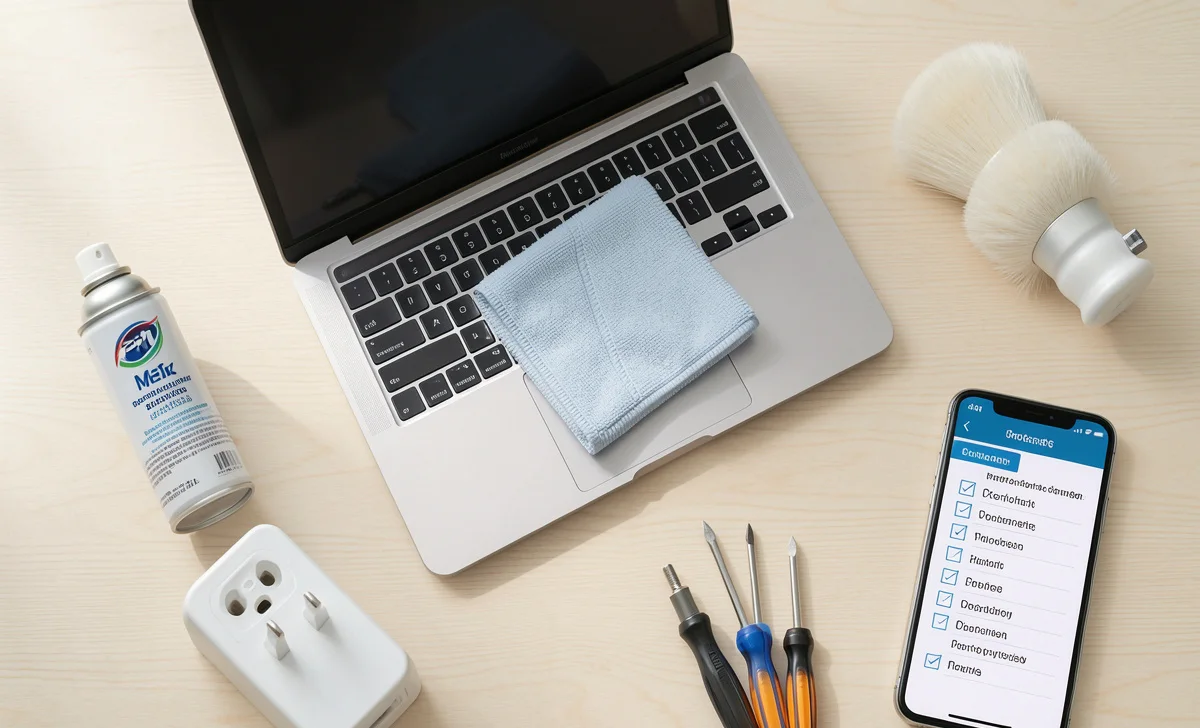
We rely on electronic appliances and machines every single day—from our morning coffee maker and refrigerator to our laptops and washing machines. But what happens when they suddenly stop working? Panic? A costly service call? Not necessarily.
Over the years, I’ve learned (often the hard way) that proper electronic appliance care goes a long way. You don’t need to be a technician to keep your devices running smoothly. With a few simple habits, you can avoid costly repairs, extend the life of your equipment, and reduce unexpected breakdowns.
In this guide, we’ll cover practical, real-world machine maintenance tips that actually work—whether at home or in a small workplace. Good electronic appliance care starts with small daily habits, not expensive tools.
Why Regular Electronic Appliance Care Matters
Most people only think about their machines when something goes wrong. But preventive maintenance is far cheaper and less stressful than emergency repairs. Dust, heat, improper use, and neglect are the biggest reasons appliances fail early. Consistent electronic appliance care helps you avoid all of them.
By adopting a simple cleaning schedule and following factory-recommended maintenance intervals, you can keep your electronic devices in good condition for years longer than average. That’s the real goal of smart electronic appliance care.
1. Keep Your Equipment Dirt-Free (Yes, Really)
One of the simplest yet most ignored tips in electronic appliance care is regular cleaning. Dust and debris build-up is a silent killer for electronics. It blocks ventilation, causes overheating, and slowly reduces performance.
What you can do:
- Wipe down surfaces weekly with a microfiber cloth.
- For screens (laptops, TVs, monitors), use a proper screen cleaner. Fingerprints and smudges don’t just look bad—they can affect image quality over time.
- Don’t forget hidden areas: vacuum vents, fans, and keyboard crevices.
- For appliances like vacuum cleaners, empty the dustbin after every use.
Real-world example: I once almost threw away an old TV that kept shutting off. After opening the back (safely) and cleaning out years of dust, it worked perfectly again. That was my first real lesson in electronic appliance care.
A good rule of thumb: clean after every use when possible. If not, set a monthly reminder. Small efforts make electronic appliance care easy.
2. Address External Damage Before It Spreads
Scratches, dents, and cracked screens aren’t just cosmetic issues. They can lead to bigger problems. A scratched laptop screen is harder to see, which strains your eyes. More importantly, cracks can let in moisture or dust, damaging internal components. Good electronic appliance care means fixing small problems before they grow.
What to do:
- For minor scratches on screens, consider a repair kit.
- For dents or broken parts, take the device to a professional. Delaying only makes things worse.
- Use protective cases and screen protectors whenever possible.
3. Ban Drinks Near Equipment (Seriously)
This might sound obvious, but how many of us have a coffee mug next to our laptop right now? Spilled drinks are one of the most common causes of sudden electronic death. Even a small splash can short-circuit a keyboard or ruin a power supply. Basic electronic appliance care includes protecting devices from liquids.
Practical tips:
- Create a “no drinks” rule near computers, TVs, and other sensitive equipment.
- If you work in an office or workshop, place clear signs at entry points and near machines.
- Use spill-proof mugs if you must drink nearby.
One reader once shared: “I lost a $1,500 laptop to a single sip of water. Now I keep all drinks on a separate table.” That’s a hard lesson in electronic appliance care.
4. Prevent Overheating – Heat Is the Enemy
Heat slowly kills electronics. Every degree above normal operating temperature reduces the lifespan of internal components. Smart electronic appliance care means managing heat properly.
Common mistakes:
- Leaving a laptop on a bed, pillow, or couch (fabrics block airflow).
- Running multiple machines in a tiny, unventilated room.
- Ignoring a fan that runs constantly (a sign of poor cooling).
Solutions:
- Use laptops on hard, flat surfaces.
- Give appliances like microwaves, refrigerators, and computers breathing room.
- If a device feels hot to the touch, turn it off and let it cool down.
5. Protect Against Power Outages and Electrical Surges
Electrical surges are sudden spikes in voltage. They can come from lightning storms, power outages, or even large appliances cycling on and off. Surges don’t always kill a device immediately, but they cause slow, cumulative damage. Surge protection is a non-negotiable part of electronic appliance care.
What works:
- Invest in a quality surge protector (not just a power strip).
- For expensive electronics (TVs, computers, gaming consoles), consider a UPS (uninterruptible power supply).
- Unplug sensitive devices during storms if possible.
A surge protector sits between your appliance and the wall outlet. It’s not 100% guaranteed, but it significantly reduces risk.
6. Proper Storage When Not in Use
How you store machines matters as much as how you use them. Proper storage is an overlooked aspect of electronic appliance care.
Do:
- Store electronics in a cool, dry place.
- Keep them in cabinets or containers with airflow (don’t cram them together).
- Unplug small appliances like toaster ovens, blenders, and phone chargers when not in use.
Don’t:
- Store in damp basements or hot attics.
- Stack heavy items on top of delicate electronics.
7. Read the Manual (Yes, That Boring Book)
Most of us toss the manual aside. But different machines have different care requirements. Your TV might only need surface cleaning. Your vacuum cleaner needs internal filter changes. Your laptop may require specific battery care. Following the manual is the easiest electronic appliance care tip you’ll ever get.
Quick tip:
- Download a PDF version of the manual and save it on your phone.
- Look for the “maintenance” and “cleaning” sections.
- Follow the factory-recommended maintenance intervals for things like filter changes, lubrication, and part replacements.
8. Use Each Device for Its Intended Purpose
It sounds obvious, but people misuse appliances all the time. A vacuum cleaner is not a blower. A blender is not a drill. Using a device the wrong way causes immediate damage and is dangerous. Respecting your device’s purpose is basic electronic appliance care.
If you’re unsure:
- Read the instructions.
- Consult the manufacturer’s website.
- When in doubt, don’t force it.
9. Reduce Friction with Proper Lubrication
For machines with moving parts (fans, motors, hinges, conveyor belts), friction is a major enemy. Without proper lubrication, parts wear down faster, performance drops, and eventually, the machine fails. Lubrication is advanced electronic appliance care that saves motors.
What to do:
- Use the correct type of lubricant (check your manual).
- Lubricate at least once a year, or more often for heavy-use equipment.
- Keep moving parts free from dirt and dust before applying lubricant.
I learned this the hard way with a noisy ceiling fan. A few drops of proper oil made it quiet and efficient again. That’s real electronic appliance care in action.
10. Don’t Force or Squeeze Wires
Forcing a wire into a connector or using the wrong plug damages both the wire and the device. Bent pins, frayed cables, and loose connections are fire hazards. Gentle handling is part of good electronic appliance care.
Best practices:
- Use the correct size connector for each slot.
- Match the connector type to your machine.
- If a plug doesn’t fit easily, stop. Don’t muscle it.
11. Train Employees on Effective Machinery Operation (For Workplaces)
If you run a business or manage a workshop, your employees need proper training. Many machinery breakdowns happen because someone used a machine incorrectly. Workplace electronic appliance care starts with training.
Training should cover:
- How to operate safely.
- Basic daily maintenance (cleaning, inspection).
- What to do if something goes wrong (troubleshoot problems, not ignore them).
A well-trained team prevents accidents and extends the life of your equipment.
12. Commit to a Preventive Maintenance Program
A preventive maintenance program means you don’t wait for things to break. You regularly inspect, clean, and replace worn parts. This is professional-level electronic appliance care.
Simple steps to start:
- Make a checklist for each machine.
- Inspect monthly for wear and tear, unusual noises, or loose parts.
- Replace worn-out parts immediately (belts, filters, brushes, etc.).
This single habit saves more money than any other tip here.
13. Know the Common Causes of Machinery Breakdown
Understanding why machines fail helps you prevent failure. The most common causes are:
- Excessive wear and tear (normal but manageable)
- Poor lubrication
- Improper use or operation
- Malfunctioning parts
- Dust and dirt build-up
If you notice any of these, act early. That’s proactive electronic appliance care.
14. Adhere to Factory-Recommended Maintenance Intervals
Manufacturers test their products extensively. They know exactly when filters need changing, when motors need servicing, and when parts wear out. Ignoring those intervals is a gamble.
Pro tip: Invest in more than one machine if your workload is heavy. Rotating usage reduces burden on any single device and lowers repair expenses. That’s smart electronic appliance care for businesses.
15. Perform Routine Inspections
You don’t need special tools. Just look, listen, and feel.
During an inspection:
- Look for cracks, loose screws, or dust buildup.
- Listen for grinding, rattling, or unusual silence (a fan not running).
- Feel for excessive heat or vibration.
Catch problems early, and they stay small. That’s the heart of electronic appliance care.
16. Document Your Machine’s Service History
Keep a simple log of every repair, cleaning, and part replacement. This helps you track what’s been done and what’s coming due.
Benefits:
- You’ll know which parts need attention.
- When selling the device, a service history proves it was well cared for.
- Creating a database (even a spreadsheet) makes maintenance easier.
17. Be Mindful of the Machine’s Environment
Electronics don’t like extreme heat, cold, humidity, or dust.
Protect your machines by:
- Keeping them away from windows (sunlight heats them).
- Use a dehumidifier in damp rooms.
- Avoiding placement near heaters or stoves.
A clean, dry, stable environment is half the battle in electronic appliance care.
18. Replace Worn-Out Parts Immediately
Visible or hidden, worn parts put stress on the rest of the machine. A frayed belt, a rusty hinge, or a clogged filter forces other components to work harder.
Rule of thumb: If a part looks tired, replace it. The cost is almost always less than a full breakdown.
Final Thoughts
Taking care of your machines and electronic appliances isn’t complicated. It’s about small, consistent habits: cleaning regularly, avoiding heat and moisture, following the manual, and replacing worn parts early. That’s all electronic appliance care really means.
You don’t need to be a technician. You just need to be mindful.
Start today. Pick one appliance that’s been neglected. Clean it. Check for damage. Look up its maintenance schedule. That single step could add years to its life—and save you hundreds in repairs.