
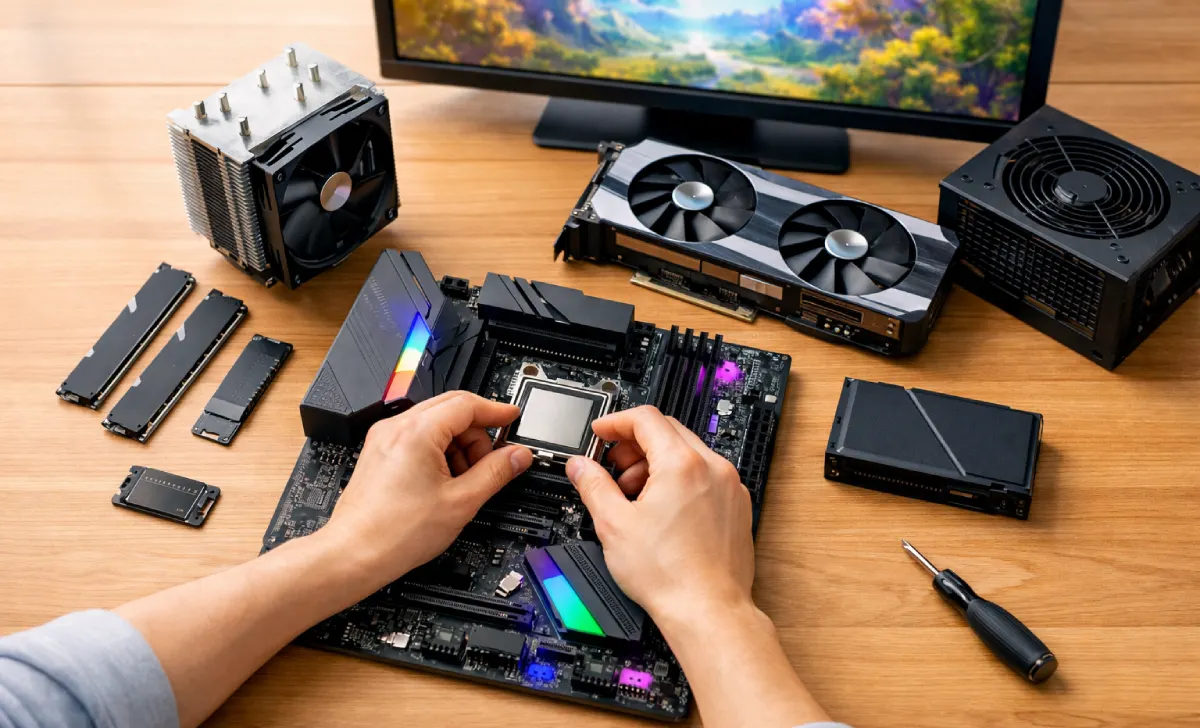
If you’re thinking about getting into PC gaming, you’ve probably asked yourself: Should I buy a pre-built PC, grab a gaming laptop, or just stick with a console? It’s a common debate, and everyone has an opinion.
But after building dozens of PCs over the years—and fixing plenty of pre-built ones for friends—I can tell you this with confidence: you should build your own gaming PC from scratch. It’s almost always the better choice.
Not because it’s trendy. Not because it’s “for experts only.” But because it gives you total control, saves you real money, and turns into a genuinely fun skill that pays off for years.
Let me walk you through exactly why, and I’ll also cover the basic components you’ll need, common concerns beginners have, and how to avoid the mistakes I’ve seen too many people make.
The Big Question: Pre-Built PC vs. Build Your Own Gaming PC
Every day, in forums and Reddit threads, new gamers ask the same thing: “Is building a PC really cheaper?” or “What if I mess something up?”
These are fair questions. Let’s address them head-on.
When you buy a pre-built PC from a brand, you’re paying for more than just the parts. You’re paying for:
- Assembly labor
- Packaging and shipping of a fully built system
- The brand’s markup
- A warranty that often limits what you can upgrade
When you build your own gaming PC, you remove most of those extra costs. You’re only paying for the hardware itself. And in many cases, you can build a machine that performs the same as a $1,500 pre-built for around $1,000–1,100.
Real example: A friend of mine bought a pre-built gaming PC for $1,400. The same parts, purchased separately, cost $980. He also couldn’t upgrade the power supply easily because the case was custom-sized. That’s a common trap.
So if you want the best value for your money, learning how to build your own gaming PC is one of the smartest decisions you can make as a gamer.
Total Control Over Every Single Component
One of the biggest reasons to build your own PC is total control. You aren’t stuck with whatever parts a manufacturer decided to bundle together.
You get to select everything yourself:
- Processor (CPU) – Do you want Intel or AMD? How many cores do you actually need?
- Graphics Card (GPU) – NVIDIA or Radeon? Do you prioritize ray tracing or raw frames?
- Motherboard – Wi-Fi built-in? Enough USB ports? Future upgrade slots?
- Memory (RAM) – 16GB or 32GB? Speed matters more than you think.
- Storage – A fast SSD for Windows and games, plus a large HDD for everything else.
- Power Supply (PSU) – The most overlooked part. A cheap PSU can destroy your system.
- PC Case – Airflow, size, and aesthetics. You choose what looks good to you.
- Cooling System – Air cooling is quieter and cheaper; liquid cooling looks cleaner and handles high heat.
You also decide where to spend more and where to save. For example:
- Spend extra on a dedicated GPU if you play AAA titles.
- Save on the case and spend more on a reliable PSU.
- Buy a cheaper CPU now and upgrade later when prices drop.
That flexibility simply doesn’t exist with most pre-built systems or gaming laptops. Once you build your own gaming PC, you’ll never want to go back to locked-down systems.
It’s Actually Cheaper Than Pre-Built (If You’re Smart)
Let’s talk money directly. Many people assume building a PC is expensive because they see high-end streamers with $3,000 setups. But that’s not the reality.
Here’s where the savings come from:
- No labor costs – You do the assembly yourself. It takes 2–4 hours on your first time.
- Source parts cheaper – You can shop across multiple stores (Amazon, Newegg, Micro Center, B&H) for the best price.
- Second-hand parts – GPUs and CPUs from trusted sellers work perfectly and cost 30–40% less.
- Avoid brand markup – Pre-built brands often charge $100–300 extra just for assembly.
- Cheap maintenance – When a part fails, you replace only that part. No need to buy a whole new PC.
Common question: “But what if I break something while building?”
It’s actually very hard to break parts if you follow basic precautions (ground yourself to avoid static, don’t force anything, read the manuals). Most first-time builders succeed without any issues.
And if something does go wrong? You learn to diagnose. You figure out which part is at fault. That skill alone saves you hundreds in repair shop fees over time. That’s another reason why it pays off to build your own gaming PC rather than buying a pre-assembled.
Upgrade and Repair Without Headaches
Have you ever tried to upgrade a pre-built PC from a big brand? Often, they use:
- Proprietary motherboards
- Non-standard power supplies
- Glued-in cases
- Limited BIOS options
When you build your own PC, you can replace parts over time easily. Want more RAM? Open the case and click on two new sticks. Need better cooling? Swap the fan in ten minutes. GPU getting old? Pop it out and install a new one.
This means your PC stays optimized for years. You don’t throw away a whole machine every three years. You evolve it.
I still use a PC I built in 2018. I’ve upgraded the GPU once, added more storage twice, and swapped the CPU cooler. It runs modern games at high settings. That’s impossible with most laptops or consoles.
The Fun Factor Is Real (And So Are the Skills)
Let’s be honest—building a PC is also a lot of fun. It feels like adult LEGOs, except when you finish, you have a powerful machine that does exactly what you want.
But beyond fun, you learn new skills that actually matter:
- How electronics work – You understand what each component does and why.
- Problem-solving – When a PC won’t boot, you learn to test, isolate, and fix.
- Circuit-level awareness – You learn about power draw, grounding, and heat management.
- Research skills – You get good at comparing specs, reading reviews, and checking compatibility.
These skills save you money and make you the go-to “tech person” for friends and family. And no, you don’t need to be an engineer. Thousands of beginners build their first PC every weekend using YouTube tutorials.
Basic Components to Build a Gaming PC (A Complete Checklist)
If you’re ready to start, here’s everything you’ll need. Don’t feel overwhelmed—start with this list and research one part at a time.
| Component | What It Does | Recommendation for Beginners |
|---|---|---|
| Processor (CPU) | The brain of your gaming rig | AMD Ryzen 5 or Intel Core i5 |
| Graphics Card (GPU) | Renders all visuals | NVIDIA RTX 3060 / AMD Radeon 6600 XT |
| Motherboard | Connects everything | B550 (AMD) or B760 (Intel) |
| Memory (RAM) | Short-term memory for running tasks | 16GB DDR4 or DDR5 (3200MHz+) |
| Storage (SSD + HDD) | Boot speed + file storage | 512GB NVMe SSD + 1TB HDD |
| Power Supply (PSU) | Provides stable power | 650W 80+ Bronze (or Gold) |
| PC Case | Holds and cools components | Mid-tower with good airflow |
| Cooling System | Prevents overheating | Stock air cooler (fine for most) |
| Peripherals | Keyboard, mouse, monitor, headphones | Budget $100–150 total to start |
| Operating System | Software that runs everything | Windows 11 Home (USB install) |
Before buying anything: Use PCPartPicker to check component compatibility. It will warn you if your CPU and motherboard don’t match, or if your PSU is too weak.
FAQs
What if I install something wrong?
Watch a 20-minute build guide on YouTube (Linus Tech Tips, Bitwit, or JayzTwoCents). Follow along. Pause when needed. You’ll be fine.
How long does it take?
First build: 2–4 hours. Second build: 45 minutes.
Do I need special tools?
Just a Phillips-head screwdriver. That’s it.
Is it cheaper than a console?
In the short term? No. A PS5 is $500. A decent gaming PC starts around $700–800. But over five years, the PC wins because games are cheaper, you don’t pay for online subscriptions, and you can upgrade instead of replacing the whole system.
Can I really use second-hand parts?
Yes, but buy GPUs and CPUs from trusted sellers with return policies. Avoid used power supplies and storage drives.
Final Verdict
Building your own PC isn’t just about saving money or getting better performance. It’s about owning your machine. Understanding it. Fixing it. Improving it.
You’ll save money up front compared to pre-built PCs.
You’ll save more money later on repairs and upgrades.
You’ll learn skills that help you in work, gaming, and everyday tech.
And honestly? You’ll have a great time doing it.
So if you’ve been sitting on the fence, here’s your push: start researching. Pick a budget. Watch a build guide. Order your first part.