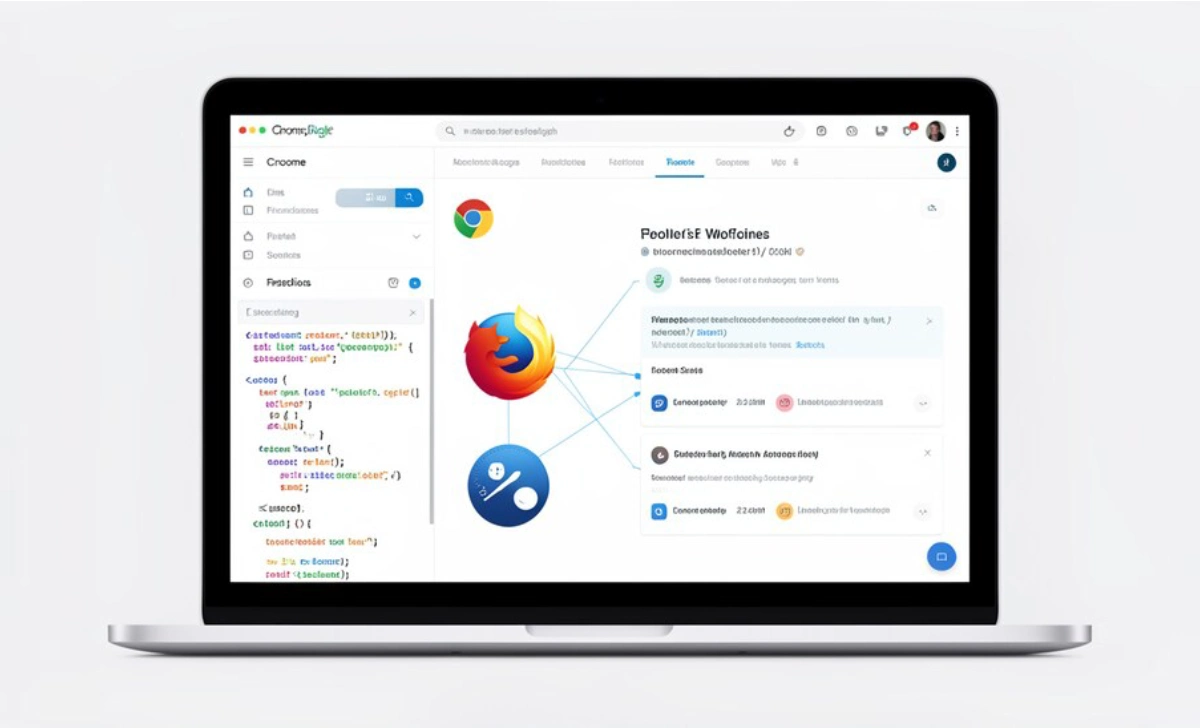
Web applications need to work correctly across different browsers and devices. A slow checkout process or broken form can cost you customers and revenue.
Selenium WebDriver is an open-source framework that automates browser interactions for testing web applications. You can use it to simulate user actions like clicking buttons, filling forms, and navigating pages. WebDriver helps you catch bugs before they reach production and ensures your site works consistently for all users.
What is Selenium WebDriver?
Selenium WebDriver lets you automate how browsers behave during testing. You write test scripts that interact with web pages the same way real users do.


WebDriver communicates directly with each browser’s native API. This makes tests faster and more reliable than older approaches that relied on JavaScript intermediaries.
You can test standard browsers like Chrome and Firefox, or use headless browsers that run without a graphical interface. This flexibility makes WebDriver useful for everything from simple form validation to complex multi-page workflows.
Key Capabilities
WebDriver supports multiple programming languages, including Python, Java, JavaScript, and C#. You can integrate it with testing frameworks and CI/CD pipelines.
For web applications, WebDriver helps verify that critical functions work correctly. You can test product searches, checkout processes, form submissions, and accessibility compliance.
How Selenium WebDriver Works
WebDriver controls browsers through dedicated driver programs. Each browser has its own driver that translates your test commands into browser-specific actions.
Here’s the basic process:
You write test scripts in your chosen programming language. These scripts describe user interactions like logging in or submitting a form. WebDriver sends HTTP requests to the browser driver. The driver executes those commands in the actual browser. WebDriver locates elements using selectors (like CSS or XPath) and verifies results through assertions.
For example, testing a login flow might involve these steps:
Open the login page, enter username and password, click the submit button, and verify the dashboard loads correctly.
This automation catches issues like broken forms or navigation errors during development.
Core Features
Cross-Browser Support
WebDriver tests your application in Chrome, Firefox, Safari, Edge, and headless browsers. You can also test mobile browser responsiveness.
This ensures your checkout process works the same way regardless of which browser your customers use.
Multiple Programming Languages
You can write tests in the language your team already uses. Teams working on the same application can use different languages for different test suites.
Element Interaction
WebDriver finds page elements using locators like XPath and CSS selectors. It handles both traditional web pages and single-page applications with dynamic content.
You can interact with elements that load asynchronously or change position on the page.
Parallel Testing
Run tests simultaneously across different browsers and operating systems. This reduces the time needed to complete full regression test suites.
You might test a responsive website on Windows, macOS, and Linux at the same time.
CI/CD Integration
WebDriver works with continuous integration tools like Jenkins and GitLab CI. Tests run automatically when you commit code changes.
This catches regressions before they affect production, like when a new feature accidentally breaks your shopping cart.
Headless Browser Testing
Headless browsers run tests without displaying a user interface. This speeds up execution and uses fewer resources.
You can test API-driven features or background processes without the overhead of rendering graphics.
Accessibility Testing
Combine WebDriver with accessibility tools to verify WCAG compliance. This helps ensure your application works for users with disabilities.
Advantages of Selenium WebDriver
Open Source: WebDriver is free with strong community support. This makes it accessible for startups and established businesses alike.
Flexible Testing: You can perform functional testing, regression testing, and accessibility validation. Test both front-end UI and backend API responses in the same framework.
Scalable: Run tests across many browser-device-OS combinations using cloud platforms or local grids. You can validate applications serving global audiences efficiently.
Strong Ecosystem: Extensive documentation, active community support, and compatibility with popular testing frameworks help you solve problems quickly.
Real User Simulation: Tests replicate actual user behavior, catching issues like form validation errors or navigation problems.
Common Challenges
Setup Requirements: Configuring browser drivers can be confusing for new users.
Solution: Use WebDriverManager to automate driver setup and version management.
Dynamic Elements: Single-page applications with AJAX content or changing element IDs complicate testing.
Solution: Implement explicit waits for dynamic content and use stable locators like data attributes.
Test Maintenance: UI changes can break test scripts, requiring frequent updates.
Solution: Use the Page Object Model (POM) to separate element locators from test logic. This makes updates easier when the interface changes.
Mobile Testing Limitations: WebDriver focuses on web browsers and needs additional tools for native mobile app testing.
Solution: Consider hybrid testing platforms that handle both web and mobile scenarios.
Performance at Scale: Testing across many browsers and devices takes time without parallelization.
Solution: Use cloud-based platforms or local Selenium Grid to run tests concurrently.
Best Practices
Use Page Object Model (POM): Separate element locators from test logic. Create classes that represent different pages or components.
This makes your tests easier to maintain when the UI changes. For example, create a LoginPage class that handles all login-related elements and actions.
Choose Stable Locators: Prefer locators that won’t change with minor UI updates. Use data attributes or unique IDs instead of generated class names.
This keeps tests working even when designers update styles or layouts.
Implement Proper Waits: Use explicit waits to handle dynamic content. Avoid fixed sleep timers that slow down tests unnecessarily.
Wait for specific conditions like “product list loaded” before interacting with elements.
Test Accessibility: Include accessibility checks in your test suite. Verify that screen readers can access content and that keyboard navigation works.
This helps you comply with regulations and reach more users.
Integrate with CI/CD: Run tests automatically on every code commit. This catches issues early in the development process.
Monitor and Report Results: Use reporting tools to track test outcomes. Detailed reports help you debug failures and share results with your team.
Generate reports that highlight which tests failed and why, making it easier to prioritize fixes.
Selenium WebDriver in 2026
WebDriver remains a leading choice for automated testing because of its flexibility and broad support. While newer tools like Cypress and Playwright offer a simpler setup, WebDriver provides better cross-browser coverage and language options.
The framework continues to handle complex testing scenarios effectively. Its integration with accessibility tools supports compliance requirements, which matters for inclusive web applications.
WebDriver development focuses on several areas:
AI Integration: AI-powered test generation and self-healing scripts reduce maintenance overhead. Tests can adapt to minor UI changes automatically.
Improved Headless Testing: Better headless browser support speeds up CI/CD pipelines. Tests run faster without sacrificing reliability.
Cloud Platform Integration: Partnerships with testing platforms expand real-device testing options. You can test on actual mobile devices without maintaining physical device labs.
Accessibility Features: Enhanced support for accessibility testing tools helps teams meet evolving compliance standards.
Conclusion
Selenium WebDriver automates web application testing across multiple browsers and devices. It supports various programming languages and integrates with popular testing frameworks.
WebDriver’s cross-browser compatibility and accessibility testing capabilities make it valuable for development teams. While setup requires some initial effort, patterns like Page Object Model and cloud-based platforms help overcome common challenges.
Using WebDriver, you can deliver reliable web applications that work correctly for all users. The framework’s continued development and strong community support ensure it remains relevant for modern web testing needs.