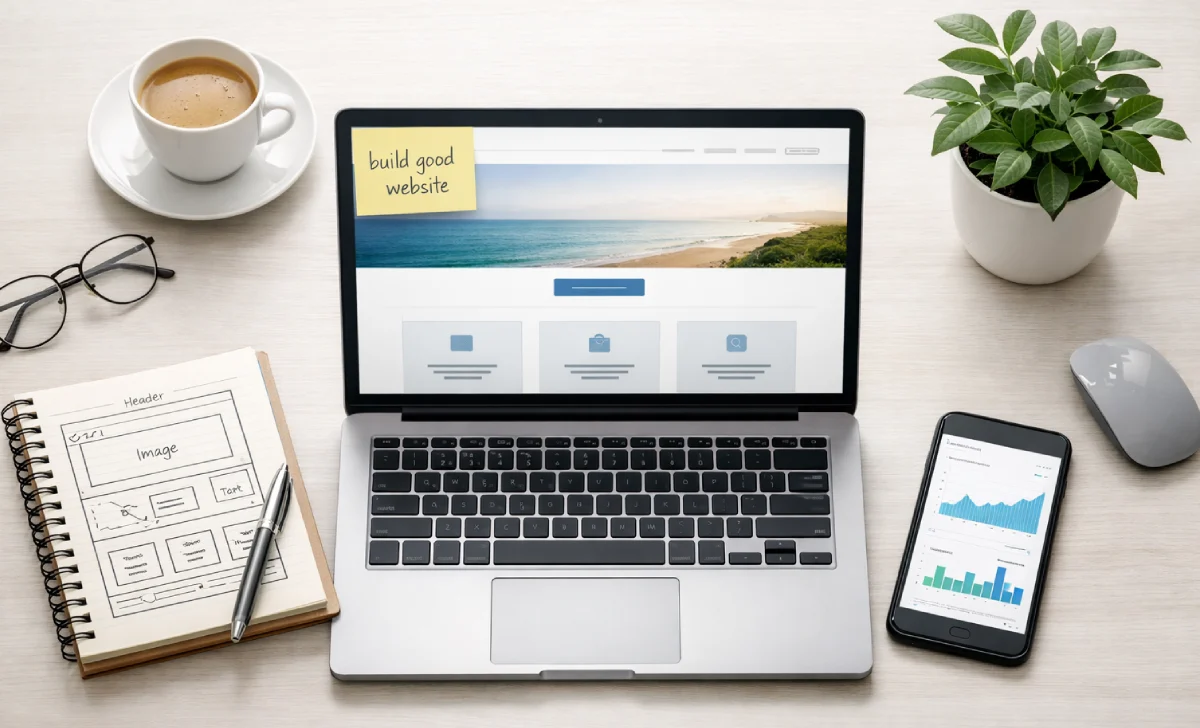
If you’re reading this, you probably want to build good website that actually works—whether for your business, blog, or personal passion. And you don’t want to waste time or money doing it.
Let’s be honest: when you first start, it can feel overwhelming. Domain names, hosting, design, coding, SEO… where do you even begin?
I’ve been there. The good news? You don’t need to be a programmer or a designer. You just need a clear path forward. That’s exactly what this guide gives you.
By the end of this article, you’ll know exactly how to build good website from scratch—step by step.
Step 1: Start With a Clear Niche (Don’t Skip This)
One of the most common mistakes beginners make is trying to build good website that does everything for everyone. That rarely works.
Before you buy anything or open any tools, take a step back and ask yourself: Who is this website for?
Selecting a niche is one of the most important website basics for beginners. Your niche could be anything—vegan recipes, freelance graphic design, local real estate, running shoes, or even a specific hobby like indoor gardening.
Why does this matter? Because when you target a specific audience, everything becomes easier:
- You know what content to create.
- You know who to market to.
- You stand out from the millions of other websites online.
- You can build a loyal following that trusts you as an authority.
A real concern many people have: “What if my niche is too small?” That’s rarely a problem. A smaller, engaged audience is far more valuable than a large, uninterested one. Start specific. You can always expand later.
Step 2: Purchase a Domain and Hosting (The Non-Negotiables)
Once you have your niche, it’s time to get technical—just a little.
Your domain is your website’s address on the internet (like yourbusiness.com). Your hosting is the service that stores your website files and makes them accessible to others online.
Without both, your website simply won’t be viewable.
How to choose a domain name:
- Keep it short and easy to remember.
- Make it relevant to your niche or brand.
- Avoid numbers, hyphens, and unusual spellings.
- Use a
.comif possible, but.net,.co, or.iocan also work.
How to choose a hosting provider:
Look for:
- Reliable uptime (99.9% or higher)
- Good customer support (24/7 live chat is a plus)
- Easy one-click CMS installation
- Affordable starter plans (most beginners pay $3–$10/month)
Pro tip: Many beginners worry about choosing the “perfect” hosting right away. Don’t overthink it. Start with a reputable, budget-friendly provider. You can always upgrade later.
Step 3: Select a Content Management System (CMS)
This is where the magic happens.
A content management system (CMS) is a software platform that lets you build and manage your website without writing code. You simply log in, add pages, upload images, and publish content.
If you’re unsure which platform to choose, WordPress is your safe bet. It powers over 43% of all websites on the internet—and for good reason. It’s free, flexible, beginner-friendly, and great for SEO.
But WordPress isn’t the only option. Here are other popular website builders and content management systems, depending on your needs:
| Platform | Best for | Starting Price |
|---|---|---|
| WordPress | Most websites (blogs, businesses, portfolios) | Free (hosting extra) |
| Wix | Quick, drag-and-drop simplicity | $16/month |
| Squarespace | Beautiful design templates | $16/month |
| Shopify | E-commerce stores | $29/month |
| Joomla | Advanced users needing flexibility | Free |
| Drupal | Large, complex enterprise sites | Free |
| Magento | Large e-commerce with customization | Free (paid options) |
| Ghost | Blogs and publishers focused on speed | From $9/month |
When choosing a CMS, consider:
- Ease of use
- Customization options
- Built-in SEO features
- Pricing
- Community support
For 90% of beginners, WordPress (self-hosted) is the right answer.
Step 4: Work on Your Website Theme and Layout
Now the fun part—making your site look good.
Your website theme controls the overall design, colors, fonts, and layout. Most CMS platforms offer free and paid themes. Don’t worry about perfection at this stage. You can always tweak things later.
What makes a good website layout?
- Clean and organized – Visitors should find what they need in 3 seconds or less.
- Mobile-friendly – Over half of all web traffic comes from phones. Test your site on a small screen.
- Easy to read – Use clear, concise text. Break up long paragraphs.
- Clear call-to-actions (CTAs) – Tell visitors what to do next: “Buy Now,” “Subscribe,” “Learn More.”
If you’re using a drag-and-drop website builder, this process is straightforward. If you’re coding from scratch (not recommended for beginners), make sure your code is clean and well-organized so search engines can crawl your site and index your content properly.
A common beginner worry: “What if my site looks ugly?” Start with a simple, well-reviewed theme. Avoid clutter. Less is almost always more.
Step 5: Create High-Quality Content That Helps People
Content is why people visit your website. Without it, your site is just an empty shell.
Focus on creating content that answers real questions your audience has. Think about the user search intent behind every page or post. Are people looking for information? A product? A tutorial? Match your content to what they actually need.
Examples of content types:
- Blog posts (how-to guides, listicles, case studies)
- Product pages
- About page (tell your story)
- Contact page
- Videos or infographics
Real talk: Many new website owners spend weeks obsessing over design but only hours on content. Flip that. Good content on a simple design will outperform beautiful design with weak content every time.
To truly build a good website, you need content that solves real problems for real people.
Step 6: Promote Your Website (Because Nobody Will Find It by Magic)
This is where most people drop the ball. They build a beautiful website, publish great content, and then… wait. Nothing happens.
You have to actively promote your website.
Here are the most effective ways to get traffic:
1. SEO (Search Engine Optimization) SEO involves optimizing your website for Google and other search engines. This includes:
- Using relevant keywords naturally in your content
- Writing informative titles and meta descriptions
- Making your site fast and easy to navigate
- Getting backlinks from other reputable sites
2. Social Media Marketing: Promote your website on platforms like Facebook, Twitter, and Instagram. Share engaging content, run small ads, and collaborate with influencers in your niche. You don’t need to be everywhere—pick one or two platforms where your audience hangs out.
3. Content Marketing Content marketing is a long-term strategy that drives traffic and improves SEO. Create informative blog posts, infographics, videos, or podcasts. Answer questions your audience is already asking. Over time, people will find you through search and shares.
4. Email Marketing: Start collecting emails from day one. An email list is the only audience you truly own. Send useful updates, not just promotions.
A common fear: “What if I promote and nobody cares?” That’s normal. Keep going. Most successful websites took months or years to gain traction. Track your analytics so you can see what’s working and double down on it.
Step 7: Track, Improve, and Stay Consistent
Building a good website isn’t a one-time project. It’s an ongoing process.
Set up free tools like Google Analytics and Google Search Console. They’ll show you:
- How many people visit
- Where do they come from
- What they click on
- Which pages do they leave quickly
Use that data to improve. Publish more of what works. Fix what doesn’t. Update old content. Keep learning.
Final Thoughts: You Really Can Do This
When you build a good website, it doesn’t have to be complicated or expensive. With the right platform, a clear niche, and consistent effort, you can create a site that is both beautiful and functional.
Start small. Focus on helping one person at a time. Publish one good page. Then another.
Before you know it, you’ll have a website you’re proud of—one that serves your audience, grows your business, or simply shares your passion with the world.