
These aren’t hypothetical concerns. They’re the kinds of daily headaches that keep small business owners up at night. And here’s a number that might hit close to home: according to recent data, 63% of small businesses are still generating less revenue in 2024 than they were back in 2019. The economy has largely recovered from the pandemic, but many owners are still struggling to streamline their operations and get their margins back to where they need to be.
One of the most overlooked places to tighten things up is payroll and time management. Not the most exciting topic, sure. But getting this right can free up hours of your week, save you money, and even help your team work more efficiently. Let’s talk about what employee time tracking systems actually do, why they matter, and whether they’re worth the investment for a business of your size.
What Exactly Is an Employee Time Tracking System?
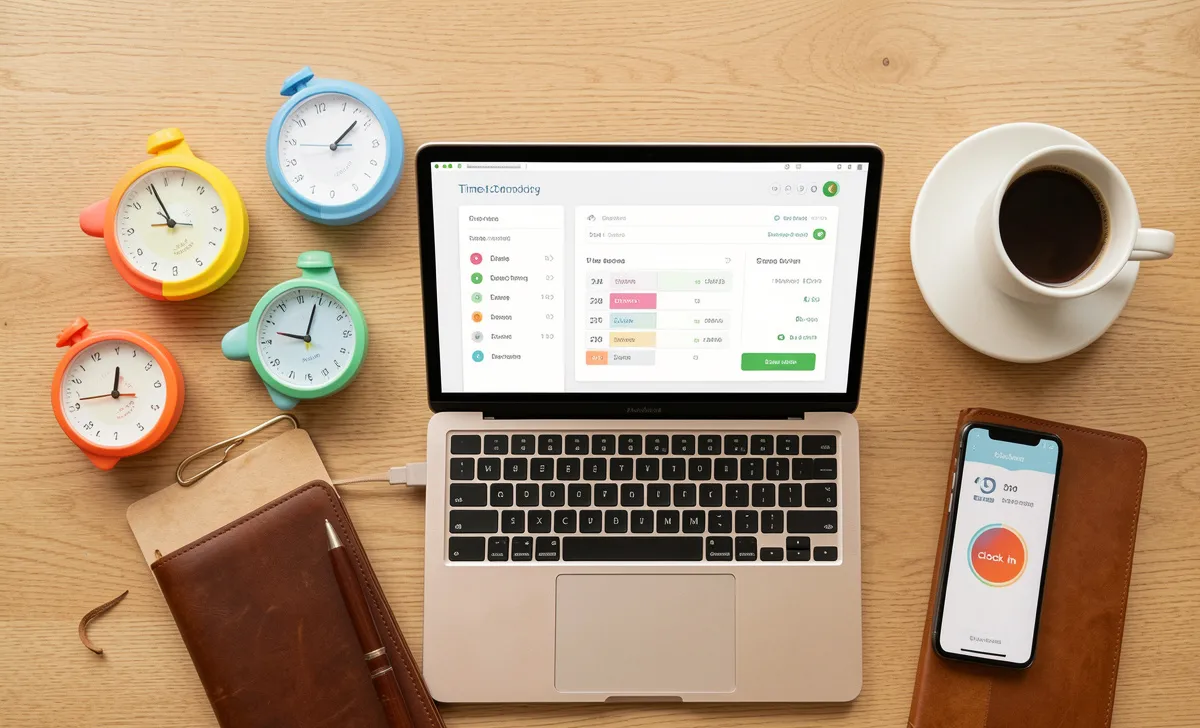
Before we dive into the benefits, let’s clarify what we’re talking about. An employee time tracking system is software—usually accessible via desktop, mobile app, or both—that allows workers to log when they start and end their shifts, track time spent on specific projects or tasks, and often record breaks, overtime, and paid time off.
Modern time tracking software goes far beyond the old punch clock or paper timesheet. Many solutions integrate directly with payroll processing, project management tools, and even client billing systems. Some include GPS tracking for remote or field teams, productivity monitoring features, and automated reporting that shows you exactly where every work hour is going.
For small business owners, the question isn’t really whether you need to track time. It’s whether the tools available today can save you enough hassle and money to justify the switch from whatever you’re doing now.
Easier Client Billing: No More Guessing Games
If your business bills clients by the hour—whether you’re a marketing agency, a law firm, a construction contractor, or a freelance creative—you know how painful accurate billing can be. Someone forgets to write down their hours. Another person rounds down because they feel bad charging for that email thread. Suddenly, you’re leaving money on the table or, worse, overbilling a client and damaging trust.
Here’s where employee time tracking software makes an immediate difference. When your team tracks time as they work, the software tallies everything automatically. You don’t have to chase anyone down at the end of the week. You don’t have to manually add up columns of numbers and hope nothing gets missed. You just review the logs, click a button, and send invoices directly from the system.
One construction company owner I spoke with said this alone saved him about four hours every billing cycle. His crew used to turn in paper timesheets that were often illegible or incomplete. Now they punch in and out from their phones, and the system assigns their hours to specific job sites automatically. His billing accuracy went from “pretty close” to exact, and client disputes over hours dropped to zero.
A Better Payroll Process: Reclaim Your Weekends
Manual payroll is a soul-crushing exercise. You collect timesheets, check for missing punches, verify overtime calculations, enter everything into your payroll system, and then pray you didn’t make a typo that shorts someone’s paycheck or gets you in trouble with labor laws.
With time tracking software, most of that work disappears. You enter each employee’s basic information once—name, role, hourly wage, overtime rules—and the system handles the rest. Hours are automatically totaled. Overtime is calculated correctly. Breaks are deducted according to your policy. Then you can export everything directly to your payroll provider or process payroll with one click.
This isn’t just about convenience. It’s about accuracy and compliance. Wage and hour lawsuits are expensive, and they often come down to simple recordkeeping failures. Having an automated, auditable trail of every hour worked protects both you and your employees.
Improved Productivity: The Accountability Factor
This is a sensitive topic, so let’s address it directly. Some business owners worry that time tracking feels like micromanagement. Others worry that without it, they have no idea what their team is actually doing during work hours.
The truth is somewhere in the middle. When employees know they’re tracking their time, most people naturally become more focused. It’s not about fear or surveillance. It’s about awareness. The simple act of starting a timer when you begin a task and stopping it when you finish creates a gentle psychological nudge to stay on track.
But the real productivity benefit comes from the data you collect over time. You can see exactly where your team’s workflows are slowing down. Maybe a certain type of project always takes twice as long as estimated. Maybe one person is consistently spending three hours on a task that should take one, indicating they need training or a better tool. Maybe you discover that meetings are eating up 20 percent of your billable hours.
These insights let you make smart changes instead of guessing. You can reassign tasks, adjust deadlines, provide coaching, or redesign processes based on actual evidence rather than gut feelings.
More Convenience for Everyone Involved
Think about the old way of doing things. Employees have to walk to wherever the time clock or sign-in sheet lives. Maybe it’s in the break room. Maybe it’s at the front desk. Either way, it’s an inconvenience that encourages people to round their start times or forget to punch out for lunch.
Modern time tracking apps let employees clock in and out from their smartphones. This is especially valuable for certain industries. Construction time tracking, for example, becomes dramatically easier when workers can punch in as soon as they arrive at a job site, even if that site is miles from the main office. Delivery drivers, field service technicians, sales reps, and remote team members all benefit from the same flexibility.
Managers benefit too. You can review time logs from your own phone or computer. There’s no need to pass around a shared device or collect paper sheets from multiple locations. If someone forgets to clock out, you can adjust it remotely. If you need to see who’s working on a particular project right now, you can pull up a live view.
Better Accuracy and Fair Pay
Here’s a scenario that happens more often than you might think. An employee works through their lunch break because they’re busy. They forget to note it anywhere. Payroll comes around, and they get paid for eight hours instead of eight and a half. They’re frustrated but don’t want to make a big deal about it. This happens a few times a month, and over a year, they’ve lost hundreds of dollars.
Or flip it around. An employee takes a long lunch and leaves thirty minutes early on Friday. They don’t adjust their timesheet because they figure no one will notice. Over time, you’re paying for hours that weren’t actually worked.
Time tracking software eliminates both problems. Most systems require employees to log breaks and can flag unusual patterns automatically. Some even use geofencing or facial recognition to verify that the right person is clocking in from the right location.
The result is simple: everyone gets paid exactly what they’re owed. No more, no less. That builds trust between you and your team, and it protects your bottom line from both accidental overpayment and intentional time theft.
What About Remote Teams?
Remote work isn’t going away. According to multiple studies, a significant percentage of the workforce still works from home at least part of the time, and many employees say they’d look for another job if forced back to the office full-time.
Managing remote teams comes with unique challenges. You can’t see who’s at their desk. You don’t know if that four-hour task really took four hours or if someone got distracted by laundry and Netflix.
Employee time tracking software designed for remote teams often includes features like optional screenshots, keyboard and mouse activity monitoring, and website or app usage tracking. Now, let’s be clear: these features are controversial. Some employees hate them. Others don’t mind as long as you’re transparent about how you use the data.
The key is to find a balance. Many successful remote businesses use time tracking to measure output and project progress rather than surveillance. They don’t care if someone takes a twenty-minute break to walk the dog as long as the work gets done on time. But having the data available helps identify real problems—like an employee who’s consistently overworked or a process that’s broken—without relying on assumptions.
Common Concerns Business Owners Have
Isn’t time tracking software expensive?
Not necessarily. Several excellent options offer free plans for small teams. Clockify, for example, has a completely free version that includes most core features. Others charge per user per month, typically ranging from $5 to $15. Compare that to the cost of even one hour of payroll processing per week, and the software often pays for itself quickly.
Will my employees hate it?
That depends entirely on how you introduce it. If you install tracking software secretly or frame it as a punishment for low productivity, yes, people will resent it. But if you explain the benefits—accurate pay, fair billing, better project planning, less administrative work for everyone—most reasonable employees will understand. Involve your team in choosing the software. Ask for their feedback on how to make it work for everyone.
What about privacy?
This is a legitimate concern, especially with tools that include screenshots or activity monitoring. Be extremely clear about what you’re tracking and why. Never monitor personal devices. Set boundaries, such as only tracking during scheduled work hours and only capturing screenshots if an employee has been idle for a certain amount of time. And be aware that some states have specific laws about employee monitoring, so check your local regulations.
Real Examples of Time Tracking Software Small Businesses Actually Use
If you’re convinced that time tracking could help your business, here are some of the most popular options that other small business owners recommend. These aren’t paid endorsements—just widely used tools with proven track records.
Toggl is known for being incredibly simple. One click starts the timer. One click stops it. The reporting features help you see where your time actually goes, and it integrates with most project management tools.
Clockify offers a generous free plan that works well for many small teams. It includes project and task categorization, billable hour tracking, and team collaboration features without charging you per user.
Hubstaff is popular among businesses with remote or field teams because it includes GPS tracking and optional screenshot monitoring. It also integrates directly with payroll and invoicing systems.
Harvest combines time tracking with expense tracking and professional invoicing. If you bill clients by the hour, Harvest makes the entire workflow from timer to invoice seamless.
TimeCamp offers automatic time tracking that records your computer activity in the background. It’s helpful for people who forget to start timers because the software can suggest what you were working on based on your activity.
Zoho Projects is a full project management platform with built-in time tracking. If you already use Zoho for CRM or other business functions, this integrates neatly.
Paymo includes both time tracking and project management with a strong focus on creative agencies and professional services. The desktop and mobile apps work well together.
Wrike is more robust and better suited for slightly larger teams, but it includes time tracking as part of its project workflow features.
DeskTime tracks time automatically by application and website, giving you real-time productivity data without requiring employees to manually start and stop timers.
Time Doctor is another option with optional screenshots and detailed activity monitoring. It works well for businesses that need high accountability, such as outsourcing or virtual assistant management.
Making the Decision for Your Business
Here’s the bottom line. Employee time tracking isn’t a magic solution that fixes every operational problem. But for most small businesses, the combination of easier client billing, faster payroll processing, improved accountability, and better accuracy makes it a worthwhile investment.
Start by identifying your biggest pain point. Is it inaccurate billing? Is payroll taking too much time? Not knowing whether your remote team is productive? Choose one problem to solve first, then look for software that addresses that specific issue. You don’t need every bell and whistle. You need a tool that makes your actual, real-world work easier.
And remember: the goal isn’t to spy on people or squeeze every second of productivity out of them. The goal is to run a fair, efficient business where everyone gets paid accurately for the work they do, clients get billed honestly, and you spend less time on paperwork and more time on the parts of your business that actually excite you.
If you’re ready to explore time tracking for your small business, start with a free trial of one or two of the options mentioned above. Most offer 14 or 30-day trials. Get your team involved. See what works. You might be surprised how much time and stress a simple timer can save.
Disclaimer: This article is for general informational purposes only and does not constitute legal, financial, or professional advice. Small business owners should consult with qualified professionals regarding payroll compliance, labor laws, employee monitoring regulations, and software selection specific to their jurisdiction and industry. Mention of specific products or services does not constitute an endorsement.