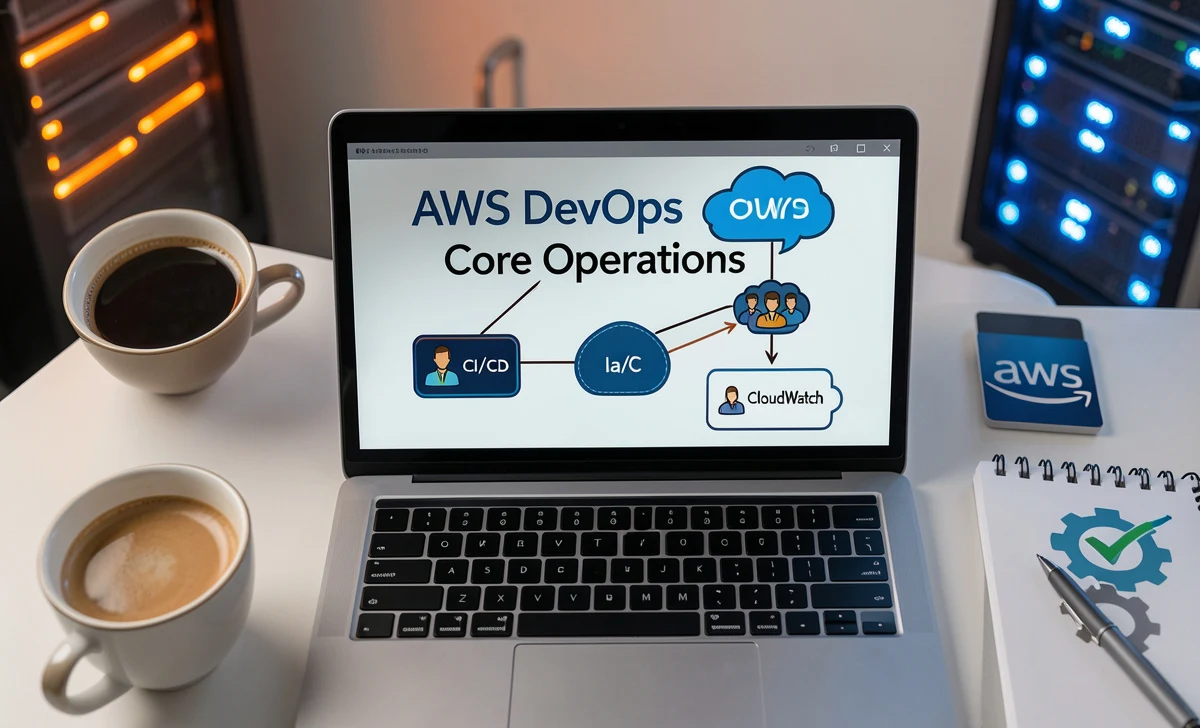
If you’ve been exploring cloud computing or software development roles, you’ve likely heard the term “AWS DevOps” thrown around quite a bit. And if you’re wondering whether an AWS DevOps course core operations are actually worth your time and money, you’re not alone. Many professionals ask the same question: What exactly will I learn? How does this help me manage both infrastructure and development? And will it really improve my career prospects?
Let’s walk through the essential AWS DevOps course core operations—without the fluff or overhyped promises. By the end, you’ll have a clear picture of what these courses teach, how they apply to real-world jobs, and whether this path is right for you.
Why People Are Turning to AWS DevOps Training
Here’s a common concern: “I know a bit about AWS, but I don’t understand how development and operations work together smoothly.” That’s exactly where DevOps comes in.

DevOps isn’t just a buzzword. It’s a cultural and technical movement that breaks down the old walls between developers (who write code) and operations teams (who manage servers and infrastructure). Understanding the AWS DevOps course core operations helps you apply those principles using Amazon Web Services—the world’s most popular cloud platform.
The goal? To help you release software faster, more reliably, and with fewer headaches.
Core Operation #1: Continuous Integration and Continuous Delivery (CI/CD)
Let’s start with the engine room of DevOps: the CI/CD pipeline. This is often the first major topic in any AWS DevOps course, and for good reason.
What does this mean in plain language?
Continuous integration means that every time a developer writes new code, it’s automatically tested and merged into a shared repository—sometimes several times a day. Continuous delivery means that once the code passes tests, it’s automatically prepared for deployment to production.
Real user question: “Does this mean I never have to manually deploy code again?”
Almost. CI/CD drastically reduces manual work. Tools like AWS CodePipeline, CodeBuild, and CodeDeploy automate the entire journey from code commit to live environment. You still need to set up the pipeline correctly, but once it’s running, deployments happen with minimal human intervention.
Why this matters for your career:
Companies love CI/CD because it catches bugs early, reduces downtime, and speeds up feature releases. In fact, many job descriptions for DevOps roles list “CI/CD pipeline experience” as a must-have.
Core Operation #2: Infrastructure as Code (IaC)
Here’s another common frustration: “Why do we have to manually configure servers every time? This is so error-prone.”
Infrastructure as Code (IaC) solves that problem. Instead of clicking around in the AWS console to create virtual machines, networks, or storage, you write code that defines your infrastructure. That code can be versioned, reviewed, tested, and reused.
What you’ll learn in an AWS DevOps course:
You’ll get hands-on with tools like AWS CloudFormation (Amazon’s native IaC service) and Terraform (a popular multi-cloud alternative). You’ll write templates that describe exactly what resources you need—EC2 instances, load balancers, databases, etc.—and then deploy those templates with a single command. This is one of the most powerful AWS DevOps course core operations you’ll master.
Real user concern: “Isn’t writing infrastructure code harder than just clicking a few buttons?”
Initially, yes. But consider this: a single mis-click in the AWS console can bring down a production system. With IaC, you can test your infrastructure changes in a sandbox environment before applying them to production. Plus, you can recreate your entire environment with one command—something impossible with manual clicks.
Practical benefit:
If your company ever needs to recover from a disaster or set up a new region, IaC is a lifesaver. It also makes collaboration easier because your infrastructure definitions live right alongside your application code in a repository like GitHub or AWS CodeCommit.
Core Operation #3: Monitoring and Logging
You’ve deployed your application. Now what? How do you know if it’s healthy? How do you find out why it crashed at 2 AM?
Monitoring and logging are the eyes and ears of any production system. An AWS DevOps course teaches you how to use services like Amazon CloudWatch (for metrics and alarms), AWS X-Ray (for tracing requests through your system), and AWS CloudTrail (for auditing API calls).
What users often ask: “Can’t I just log into my server and check the logs manually?”
You could, but that doesn’t scale. When you have dozens or hundreds of servers, manual log checking is impossible. Modern DevOps practices centralize logs and metrics so you can search, visualize, and set up automatic alerts.
Example from the real world:
Imagine your application slows down every day at 3 PM. With proper monitoring, you can see that CPU usage spikes exactly when a scheduled job runs. You can then optimize that job or move it to a different time. Without monitoring, you’d be guessing.
Key takeaway:
Monitoring isn’t just about fixing problems—it’s about proving that your system is working as expected. This builds trust with stakeholders and customers.
Core Operation #4: Communication and Collaboration
This one surprises many technical people. “Wait, I thought DevOps was about tools? Why are we talking about communication?”
DevOps is as much about people and processes as it is about technology. An AWS DevOps course will emphasize how teams can work together using shared backlogs, project boards, and chat tools. You’ll learn about concepts like blameless post-mortems (where you fix the process, not point fingers) and shared responsibility for uptime.
Real user concern: “Our developers and operations teams don’t get along. Will this course fix that?”
A course alone won’t fix company culture. But it will give you the language and practices to start breaking down silos. For example, you’ll learn how to set up shared dashboards so both teams see the same metrics. You’ll also understand why “throwing code over the wall” to operations is a recipe for disaster.
Practical advice from experienced DevOps engineers:
Start small. Pick one project where dev and ops work together from day one. Use a simple project board (like AWS CodeStar or Jira) to track tasks. Hold short daily check-ins. Over time, trust builds, and collaboration becomes natural.
Benefits of AWS DevOps Certification (Honest Take)
Let’s talk about the elephant in the room: Will getting certified actually help me get a better job?
Here’s an honest answer. AWS DevOps certification can help, but it’s not a magic ticket. Based on real discussions in tech forums and feedback from hiring managers:
Where certification helps:
- Resume screening: Many recruiters use certification as a filter. It can get you past automated systems.
- Structured learning: The exam forces you to study AWS-specific tools and services in depth.
- Confidence: Knowing you’ve passed a tough exam (and it is tough) gives you credibility in meetings.
Where certification alone isn’t enough:
- Hands-on experience: No certification replaces actually building and fixing systems. Always practice with real AWS accounts (use the free tier to keep costs low).
- Problem-solving skills: Interviewers will ask about real scenarios, not just exam facts.
Other benefits mentioned by certified professionals:
- Higher salary potential (many report 10-20% increases after certification)
- Access to the AWS Certified community and digital badges
- Exam discounts for future certifications
- Recognition at cloud conferences and events
Best AWS DevOps Courses (What Real Students Recommend)
You’ll find dozens of courses online. Here’s a practical breakdown based on student reviews and instructor quality:
1. AWS DevOps Engineering Learning Plan (AWS Official)
Best for: Structured, self-paced learning directly from AWS.
What’s good: It’s free (if you use the free tier) and created by AWS experts.
What’s not ideal: It can feel dry and textbook-like. Best for people who already have some AWS experience.
2. DevOps on AWS Specialization (Coursera)
Best for: Deep, project-based learning.
What’s good: Covers source control, CI/CD best practices, and code quality measurement. Includes hands-on assignments.
What’s not ideal: Requires a Coursera subscription (around $49/month).
3. Become a Cloud DevOps Engineer (Udacity)
Best for: Career-changers who want a structured nanodegree.
What’s good: Covers cloud computing, DevOps, and automation with real-world projects. Includes mentor support.
What’s not ideal: Expensive (often $400+ per month). Best if you’re serious about a career pivot.
4. DevOps with AWS – All Batches Classes for Beginners to Experts (Udemy)
Best for: Budget-conscious learners who want broad coverage.
What’s good: Covers Jenkins, Boto (Python SDK for AWS), Terraform, Amazon ECS, and even DevSecOps. Often on sale for $10-20.
What’s not ideal: Quality varies by instructor. Read recent reviews before buying.
A common question: “Which one should I choose?”
If you’re new to AWS, start with the AWS Learning Plan (free) to understand the basics. Then move to a hands-on course like the Udemy or Coursera option. Only invest in the Udacity nanodegree if you need career coaching and structured projects.
Real-World Advice Before You Start
Here are a few honest tips from people who’ve been through AWS DevOps training. Mastering the AWS DevOps course core operations takes time and practice:
- Don’t skip the basics. Jumping straight into DevOps without understanding core AWS services (EC2, S3, IAM) is frustrating. Spend a week on fundamentals first.
- Practice every day. Even 30 minutes of hands-on work beats hours of watching videos. Create a free AWS account and break things on purpose—then fix them.
- Join a community. The AWS subreddit, DevOps Discord servers, and local cloud meetups are goldmines for real-world advice. You’ll learn more from other people’s failures than from any course.
- Expect a learning curve. Infrastructure as code and CI/CD pipelines are genuinely new ways of thinking. It’s normal to feel overwhelmed. Stick with it for 2-3 months before judging your progress.
- Focus on solving problems, not passing exams. The certification is a milestone, not the destination. Employers care more about “Can you fix our broken deployment?” than “Do you have a badge?”
Final Thoughts
An AWS DevOps course won’t turn you into an expert overnight. But it will give you a solid roadmap for understanding how infrastructure and development can work together—smoothly, reliably, and at scale.
The AWS DevOps course core operations we’ve covered—CI/CD pipelines, infrastructure as code, monitoring and logging, and team collaboration—are the same practices used by companies like Netflix, Etsy, and Airbnb. They’re battle-tested, practical, and within your reach.
If you’re ready to invest the time and effort, AWS DevOps training can open doors to higher salaries, more interesting projects, and a deeper understanding of modern cloud computing. Start small, practice daily, and don’t be afraid to ask questions along the way.
Your next step: Pick one of the recommended courses above, sign up for a free AWS account, and deploy your first simple pipeline. You’ll learn more in that first afternoon than in weeks of passive video watching.
Disclaimer: This article is for informational and educational purposes only. While we strive to provide accurate and up-to-date information about AWS DevOps courses, certifications, and industry practices, readers should verify details directly with AWS and course providers before making enrollment or career decisions. Individual results—including salary increases, job placements, or certification exam success—may vary based on prior experience, effort, and market conditions. This content does not constitute official AWS training or career advice.