
If you’ve ever bought something at a store and watched the cashier scan items, swipe a card, and hand you a receipt, you’ve interacted with a Point of Sale system. But if you’re opening a business or upgrading from an old cash register, you probably have questions that go deeper than that.
Maybe you’re wondering: Do I really need one? How much do they cost? Will it be hard to train my staff? Can it really help me track inventory?
These are exactly the questions business owners ask every day. Let’s walk through everything you need to know about POS systems, from the basics to the practical decisions you’ll face.
What Exactly Is a Point of Sale System?
A Point of Sale system—commonly called a POS system—is the central hub where your sales happen. It’s where your customer completes their purchase, and where your business captures important data about that transaction.
Think of it this way: if your business is a ship, the POS system is the captain’s wheel. It doesn’t just process payments; it helps you steer everything from inventory to customer relationships.
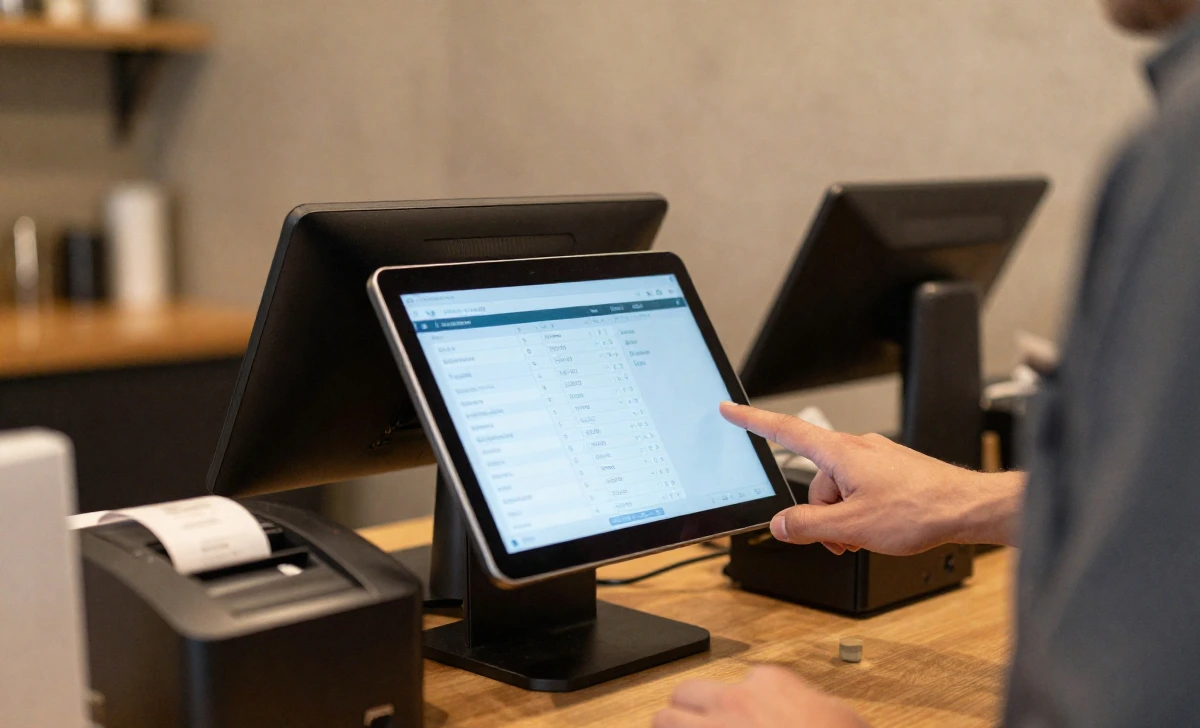
At its core, a modern POS system combines hardware and software. The hardware might include a tablet or terminal, a receipt printer, a cash drawer, and a barcode scanner. The software is the brain behind it all, calculating totals, tracking what you sell, and often sending data to your accounting tools.
I’ve spoken with dozens of small business owners over the years, and one thing they consistently tell me is this: the right POS system saves them hours of manual work each week. That’s time they can spend actually growing their business.
The Three Key Components of Every POS System
Every POS system, regardless of how basic or advanced, operates using three main parts. Understanding these helps you make better decisions when comparing options.
Input Devices: How Information Enters the System
These are the tools your staff uses to tell the system what’s being purchased. The most common input devices include:
- Barcode scanners that read product codes instantly
- Credit card readers that handle chip, swipe, and tap payments
- Touchscreens where staff can select items manually
- Keyboards and mice for entering data or customer information
Some newer systems also accept input from kitchen printers in restaurants or from customer-facing tablets where people can order for themselves.
Application Software: The Brain Behind the Operation
This is where the real work happens. The software processes every piece of information coming in. It calculates sales totals, adds applicable taxes, applies discounts, updates inventory counts, and records the transaction for your records.
Think of the software as the part of the system that never sleeps. Even after you close up for the night, good POS software is organizing your data, preparing reports, and sometimes even automatically reordering products that have run low.
Output Devices: What the System Gives Back
Once the software does its job, output devices deliver the results. These include:
- Receipt printers that give customers proof of purchase
- Display screens that show order totals and itemized lists
- Cash drawers that open automatically when a cash transaction occurs
- Email or text systems that send digital receipts
Some modern systems also output data directly to your accounting software or to inventory management tools in the back office.
How POS Systems Process a Transaction From Start to Finish
Let’s walk through a typical transaction so you can see how all these pieces work together in real time.
A customer walks into your store with a few items. At the counter, your employee picks up the barcode scanner and scans each product. With every beep, the input device sends information to the application software.
The software instantly looks up each item’s price, checks if it’s on sale, and begins calculating a running total. It also deducts each item from your inventory count. If you’re running low on something popular, the system might flag that for later.
When all items are scanned, the software displays the subtotal on the screen. It calculates the appropriate sales tax based on your location and shows the final amount.
The customer taps their credit card on the reader. The input device sends the payment information through secure channels to verify funds. Within seconds, approval comes back.
The output devices spring into action. The cash drawer pops open if change is needed. The receipt printer whirs to life, producing a paper record. If you offer digital receipts, the system might also email a copy.
Behind the scenes, the software records everything: what sold, when it sold, how the customer paid, and what your current inventory levels now look like.
All of this happens in less than a minute. But that minute of work replaces what could easily be fifteen minutes of manual data entry, receipt writing, and inventory counting.
Why Businesses Are Switching to Modern POS Systems
I’ve watched the shift from old-school cash registers to modern POS systems happen gradually over the past decade. Business owners who made the switch rarely go back. Here’s why.
Accuracy That Protects Your Bottom Line
Manual entry invites mistakes. A cashier types $45.00 as $54.00. Someone forgets to record a sale. Handwritten receipts get lost. These errors add up.
POS systems eliminate most of these problems. When a barcode scans, the price is exactly what it should be. When a transaction completes, it’s recorded automatically. The math is always correct because computers do the calculating.
One boutique owner told me she discovered she’d been undercharging for a popular item for nearly six months before getting a POS system. The manual system relied on her staff remembering the correct price. The POS system never forgets.
Time Savings That Add Up Quickly
Think about everything that happens after a sale in a manual system. Someone has to write down what sold. Later, that information gets entered into inventory records. At the end of the day, cash needs to be counted and reconciled. At the end of the month, sales data must be compiled for taxes.
A POS system does all of this automatically. Many business owners report saving five to ten hours per week after switching. Over a year, that’s hundreds of hours returned to running the business.
Customer Experience Improvements
Customers notice when checkout is smooth. They appreciate itemized receipts that show exactly what they bought and what they paid. They like having the option to get receipts by email instead of paper.
Some POS systems even store customer purchase histories. When a regular comes in, you can see what they’ve bought before and make thoughtful recommendations. That personal touch builds loyalty.
Better Business Intelligence
This might be the most underrated benefit. A good POS system doesn’t just record sales—it helps you understand them.
You can see which products sell best during different times of the year. You can identify your most profitable items. You can spot slow movers before they become expensive inventory problems. You can track whether your morning or evening staff processes more transactions.
This data turns guesswork into strategy. You’re no longer wondering what’s working. You know.
Common Questions Business Owners Ask About POS Systems
Over the years, certain questions come up again and again. Let’s address the ones you’re probably thinking about right now.
Is a POS system just for retail stores?
Not at all. While retail was the original home of POS technology, these systems now serve restaurants, salons, service businesses, and even online sellers. A food truck might use a POS system to track popular menu items. A hair salon might use one to manage appointments and client preferences. A contractor might use one to process payments at job sites using a mobile device.
How much should I expect to pay?
This varies widely based on your needs. Basic systems for small operations might run $50 to $100 per month for software, plus a one-time hardware purchase of a few hundred dollars. More complex setups with multiple terminals, advanced inventory, and specialized features can cost several thousand dollars upfront plus higher monthly fees.
The key is matching the system to your actual needs. Don’t pay for features you’ll never use. But don’t skimp so much that you outgrow the system in six months.
Is it difficult to train staff?
Most modern POS systems prioritize ease of use. The interfaces are often intuitive, with touchscreens and clear buttons. Many business owners report that new employees pick up the basics within an hour or two.
The more complex features—like running reports or processing returns—might require additional training for managers. But day-to-day operations are usually straightforward enough that seasonal or part-time staff can handle them comfortably.
What happens if the internet goes down?
This is a valid concern, especially for businesses that rely on cloud-based systems. Most reputable POS providers offer offline modes. The system continues processing transactions and stores the data locally. When internet service returns, it syncs everything automatically.
It’s worth asking potential providers about their offline capabilities before committing. You want to know your business can keep running regardless of technical hiccups.
Is POS the same as an ATM?
No, and it’s important to understand the difference. An ATM, or Automated Teller Machine, connects directly to bank accounts to dispense cash. You use it to withdraw money from your own account.
A POS system processes purchases. When you pay with a card at a store, the POS system communicates with payment networks to transfer funds from your account to the merchant’s account. The two devices serve completely different purposes, though they both handle financial transactions.
Do POS Systems Support Cashless Payments?
Absolutely, and this has become increasingly important. Modern POS systems are designed to handle the full range of payment options customers expect.
Credit and debit cards remain the standard, processed through chip readers or magnetic stripe readers. But today’s systems also accept contactless payments through digital wallets like Apple Pay and Google Pay. Some even handle gift cards, store credit, and buy-now-pay-later services.
This flexibility matters because payment preferences vary widely. Some customers never carry cash. Others prefer tapping their phone. A good POS system accommodates everyone without requiring different equipment for different payment types.
Choosing the Right POS System for Your Business
If you’re in the market for a POS system, here’s practical advice based on what other business owners have learned through experience.
Start by listing what you actually need. Do you sell physical products that require inventory tracking? Do you need tableside ordering for a restaurant? Are you mostly a service business with occasional product sales? Do you sell online as well as in person?
Then think about your space. Do you have room for a traditional terminal, or would a smaller tablet-based system work better? Will your system stay in one place, or do you need mobility?
Consider your technical comfort level. Some systems are nearly plug-and-play. Others require more setup and configuration. Be honest about what you and your team can handle.
Finally, read reviews from businesses similar to yours. A system that works beautifully for a coffee shop might frustrate a retail clothing store. Look for feedback from people whose operations resemble yours.
The Bottom Line on POS Systems
A POS system is one of those business investments that pays for itself over time. It saves hours of manual work. It prevents costly errors. It gives you data that helps you make smarter decisions. And it creates a better experience for your customers.
Whether you’re just starting or looking to upgrade from an outdated system, understanding how POS technology works puts you in a stronger position to choose wisely. The right system grows with you, adapts to your needs, and quietly handles the thousands of small transactions that keep your business running.
Take your time comparing options. Ask providers tough questions about their features and support. And remember that the goal isn’t just processing payments—it’s running your business more effectively, one transaction at a time.
Disclaimer: The information provided in this article is for general informational and educational purposes only. While we strive to keep the information accurate and up-to-date, technology and business practices evolve rapidly. We recommend consulting with a financial advisor, technology specialist, or legal professional to determine the best POS system or business practices for your specific situation. All trademarks and brand names mentioned are the property of their respective owners.