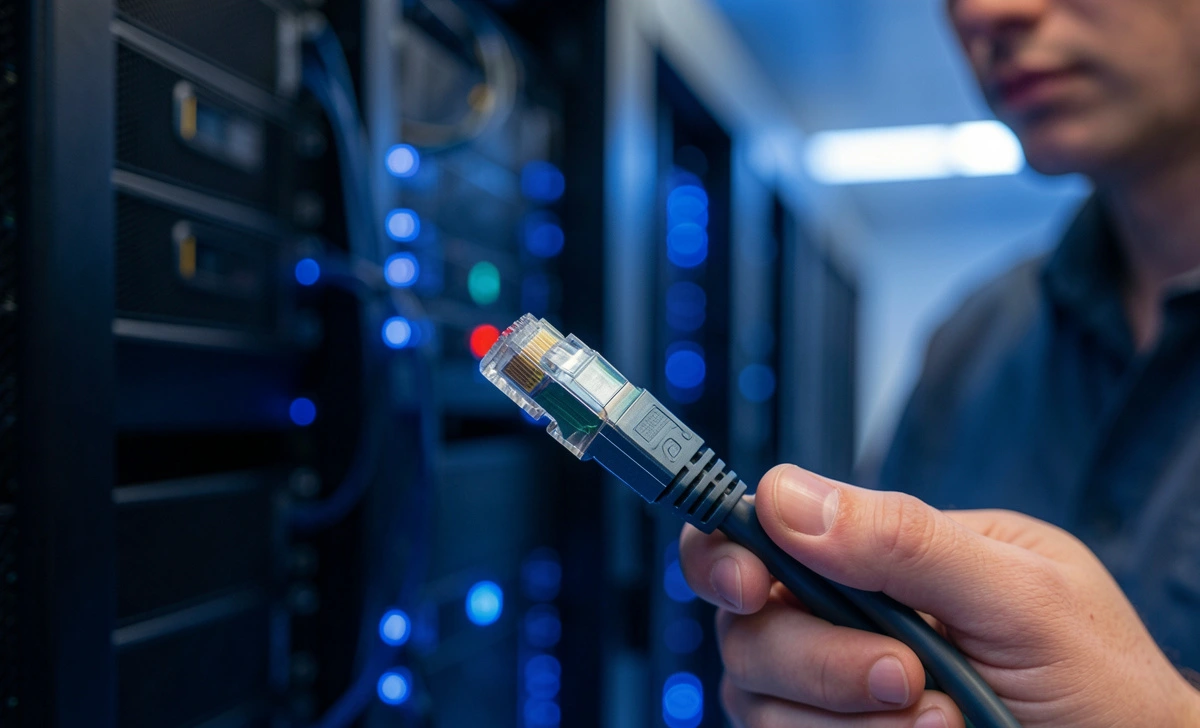
If you’ve been researching network upgrades or server room setups lately, you’ve probably encountered the term “10GBASE-T.” Maybe you’re wondering whether it’s time to move beyond your current gigabit setup, or perhaps you’re planning a new installation and want to get it right the first time.
Let’s walk through everything you need to know about 10GBASE-T—what it is, when it makes sense to use it, and how to install it properly without making expensive mistakes.
What Exactly Is 10GBASE-T?
10GBASE-T is 10 Gigabit Ethernet that runs over twisted-pair copper cabling—the same type of cables many of us already have running through our walls. At its core, it’s an IEEE standard (802.3an) that delivers data at 10 billion bits per second.


Think of it this way: if standard gigabit Ethernet is a four-lane highway, 10GBASE-T is a forty-lane superhighway. It moves data ten times faster than its predecessor while using the same fundamental technology—twisted copper pairs.
The name itself tells you what you’re getting:
- 10 = 10 gigabits per second
- BASE = baseband signaling (the cable’s full capacity goes to one signal)
- T = twisted-pair copper cabling
One question I hear frequently: “Wait, isn’t 10GBASE-T fiber optics?” It’s a common confusion point. Unlike 10GBASE-SR or 10GBASE-LR (which do require fiber), 10GBASE-T is specifically designed for copper. That distinction matters because it affects everything from your cable choices to your installation costs.
How 10GBASE-T Actually Works
The technology behind 10GBASE-T is more sophisticated than you might expect. To push 10 Gbps through copper cables—which were originally designed for much slower speeds—engineers had to get creative.
10GBASE-T uses several advanced techniques:
- DSQ128 encoding – More efficient data encoding than older Ethernet standards
- Tomlinson-Harashima Precoding (THP) – Helps manage signal interference
- Advanced echo cancellation – Separates transmit and receive signals on the same pairs
These technologies work together to overcome the physical limitations of copper. Without them, 10 Gbps signals would degrade too quickly over distance. With them, you get reliable 10 Gbps connections at up to 100 meters—at least when everything is set up correctly.
Common Applications: Where 10GBASE-T Makes Sense
Based on real-world deployments I’ve seen and worked with, 10GBASE-T shines in specific scenarios:
Server Connectivity
This is probably the most common use case. Modern servers generate enormous amounts of data, and gigabit connections often become bottlenecks. Connecting servers to switches with 10GBASE-T eliminates that bottleneck without requiring a complete infrastructure overhaul.
Switch Uplinks
When switches need to talk to each other, 10GBASE-T provides the bandwidth those connections demand. It’s particularly useful in medium-sized deployments where fiber might be overkill or too expensive.
High-Performance Workstations
Video editors, 3D designers, and data analysts working with massive files benefit tremendously from 10GBASE-T. A workstation with 10G connectivity can transfer a 50GB video file in about 40 seconds instead of nearly seven minutes with gigabit Ethernet.
Data Center Top-of-Rack Connections
Many organizations use 10GBASE-T for connections between servers and top-of-rack switches, then use fiber for uplinks to core switches. This hybrid approach balances performance and cost effectively.
Cable Requirements: Getting This Right Matters
Here’s where many people run into trouble. You cannot run 10GBASE-T over just any Ethernet cable you have lying around. The cable requirements are specific and non-negotiable.
Minimum Cable Category: Cat6A
For 10GBASE-T, you need at least Category 6A (Augmented Category 6) cable. Here’s why different categories perform:
- Cat5e – Supports gigabit Ethernet but fails at 10GBASE-T except over very short distances (under 45 meters in ideal conditions—not recommended)
- Cat6 – Can support 10GBASE-T but only up to 55 meters in typical installations
- Cat6A – Supports 10GBASE-T at the full 100 meters with proper headroom
- Cat7/Cat8 – Also support 10GBASE-T but are overkill for most applications
My recommendation: If you’re installing new cable specifically for 10GBASE-T, use Cat6A. It’s the sweet spot between capability and cost. Cat6 might save you a few dollars now, but could limit you later.
Shielded vs. Unshielded
10GBASE-T generates more heat and is more susceptible to electromagnetic interference (EMI) than slower Ethernet standards. This makes shielding more important.
Shielded Twisted Pair (STP) cables have an extra layer of protection that reduces interference. In environments with significant electrical noise—near power lines, industrial equipment, or fluorescent lighting—STP is worth the extra cost.
Unshielded Twisted Pair (UTP) can work in cleaner environments, but you’ll have less margin for error. If you choose UTP, pay extra attention to cable routing and separation from power sources.
Installation Best Practices: What Experience Teaches
After working with enough network installations, certain lessons become clear. Here’s what matters most when installing 10GBASE-T:
Cable Length Discipline
The 100-meter limit isn’t flexible. That’s 100 meters total from switch to device—including patch cables at both ends. I’ve seen installations fail because someone added a 10-meter patch cable to a run that was already 95 meters long.
If you need to go beyond 100 meters, you have options:
- Use fiber optics for the long segment
- Add a switch or repeater in the middle
- Consider 10GBASE-T over Cat6A with signal extenders (though this adds complexity)
Bend Radius Matters
This is easy to overlook but critically important. The minimum bend radius for Cat6A cable is about four times the cable diameter—roughly 1-2 inches depending on the specific cable.
Sharp bends damage the internal geometry of twisted pairs, which increases crosstalk and signal loss. I’ve troubleshot intermittent 10G connections that traced back to a single tight bend behind a server rack.
Termination Quality
10GBASE-T pushes cables to their limits, which means termination quality matters more than with slower Ethernet. A slightly untwisted pair at the punch-down block might work fine at 1G but cause errors at 10G.
Best practices for termination:
- Untwist pairs as little as possible—ideally, less than half an inch
- Use quality RJ45 connectors rated for Cat6A
- Follow TIA/EIA-568 wiring standards consistently
- Test every termination with a proper cable certifier
Thermal Management
One aspect of 10GBASE-T that surprises people is heat. 10GBASE-T transceivers and switches run significantly hotter than their gigabit counterparts. In a dense server room, this heat adds up.
Ensure your equipment has adequate cooling, and don’t bundle 10GBASE-T cables too tightly—they need airflow just like the electronics do.
10GBASE-T vs. Fiber: Making the Right Choice
A frequent question I encounter: “Should I use 10GBASE-T or fiber for my 10G network?” The answer depends on your specific situation.
10GBASE-T advantages:
- Uses existing copper cabling infrastructure
- Lower-cost transceivers (for short distances)
- Simpler termination (no fusion splicing)
- Familiar RJ45 connectors
- Power over Ethernet (PoE) capability
Fiber advantages:
- Longer distance support (kilometers vs. 100 meters)
- Complete immunity to EMI
- Lower latency
- Thinner, lighter cables
- Future-proofing for higher speeds
The practical approach: Many organizations use both. Fiber for longer runs between buildings or floors, and between core switches. 10GBASE-T for server rooms, data center racks, and workstation connections where distances are short and copper’s convenience matters.
Testing and Certification: Don’t Skip This
If you’re investing in 10GBASE-T, proper testing isn’t optional. You need to verify that your installation actually supports 10G speeds.
What to Test
A proper cable certifier should check:
- Insertion loss – How much signal strength is lost along the cable
- Return loss – Signal reflections caused by impedance mismatches
- Near-end crosstalk (NEXT) – Interference between pairs in the same cable
- Power Sum NEXT – Combined crosstalk from all pairs
- Alien crosstalk (AXT) – Interference from nearby cables
Cat6A certification specifically tests for alien crosstalk, which becomes significant at 10G speeds. This is why generic “continuity testers” aren’t sufficient—they can’t detect the performance issues that matter at 10G.
The Certification Report
A proper certification gives you a pass/fail result based on IEEE standards. Keep these reports—they’re invaluable for troubleshooting later and prove your installation meets specifications.
Common Questions and Concerns
Drawing from real discussions in networking communities, here are answers to questions people actually ask:
Can I mix 10GBASE-T and gigabit equipment?
Yes. 10GBASE-T equipment typically auto-negotiates down to 1000BASE-T (gigabit) and 100BASE-TX. You can gradually upgrade your network without replacing everything at once.
Will 10GBASE-T work with my existing Cat6 cabling?
Maybe. Cat6 supports 10GBASE-T up to 55 meters in optimal conditions. If your runs are shorter than that and your installation quality is excellent, it might work. But Cat6A is the safe choice for new installations.
Is 10GBASE-T power-hungry?
Compared to fiber, yes. 10GBASE-T transceivers consume more power and generate more heat. In dense deployments, this affects your power and cooling requirements.
What about 2.5GBASE-T and 5GBASE-T?
These newer standards (802.3bz) run over Cat5e and Cat6 cables, respectively. They’re good intermediate steps if you’re not ready for full 10G. Many switches now support multiple speeds.
Planning Your 10GBASE-T Deployment
If you’re considering 10GBASE-T, here’s a practical approach:
- Audit your current cabling – What category is it? How long are the runs?
- Identify your bandwidth bottlenecks – Where is gigabit slowing you down?
- Plan for heat – Ensure your equipment locations have adequate cooling
- Budget properly – Include cable, connectors, testing, and potentially new switches
- Consider future growth – Will you need 25G or 40G eventually? If so, fiber might be wiser
The Bottom Line
10GBASE-T is a mature, reliable technology that delivers 10 Gbps over copper cabling. It’s the right choice for many server rooms, data centers, and high-performance workstation applications—especially where existing copper infrastructure makes fiber impractical.
Success with 10GBASE-T comes down to details: using Cat6A cable, respecting the 100-meter limit, terminating carefully, and testing thoroughly. Get those right, and 10GBASE-T will serve you well for years.
The technology has been around since 2006 and is well-understood. It’s not the newest or fastest option available—25G and 40G Ethernet exist—but it hits a sweet spot of performance and cost that makes sense for many organizations.
Whether you’re upgrading an existing network or building new, 10GBASE-T deserves serious consideration. Just make sure you understand what it requires before you start buying cable.
Disclaimer: The information provided in this article is for general informational and educational purposes only. While we strive to keep the information accurate and up-to-date, network technologies, standards, and best practices evolve. Always consult with qualified network professionals, review manufacturer documentation, and consider your specific environmental conditions before making significant changes to your network infrastructure. The author and publisher assume no responsibility or liability for any errors, omissions, or outcomes resulting from the use of this information.